Bottle Label Studio
Unroll any bottle label into a flat, clear image.
Turn the bottle a little, take five or six photos, and DeLabel joins them into one flat label you can keep, catalog, and share. Everything happens on your phone. There is no account and no DeLabel server.
 Coming soon to theApp Store
 Coming soon toGoogle Play
 Coming soon toAppGallery
- Wine
- Sake
- Whiskey
- Craft beer
- Spirits
- Tea
- Mineral water
- Soda
- Energy drinks
- Cans
At home in eight languages.
iPhone and Android support English, Japanese, French, Italian, Spanish, Korean, Simplified Chinese, and Traditional Chinese. HarmonyOS supports Simplified and Traditional Chinese.
Menus, guides, permission prompts, and the headings on share cards, posters, tasting sheets, and booklets follow the app language. Your bottle names, notes, and photographed label text stay exactly as you entered or captured them. File names and CSV column names stay in English.
DeLabel follows your device language. You can also choose a supported app language in your phone’s system settings. Interface languages and label-reading capabilities are separate; Android label reading currently supports Latin scripts and Japanese.
- English
- 日本語
- Français
- Italiano
- Español
- 한국어
- 简体中文
- 繁體中文
How it works
Three steps. No tripod, no exact angles.
A curved label hides half its artwork in any single photo. DeLabel photographs it in overlapping slices and unrolls them into one rectangle.
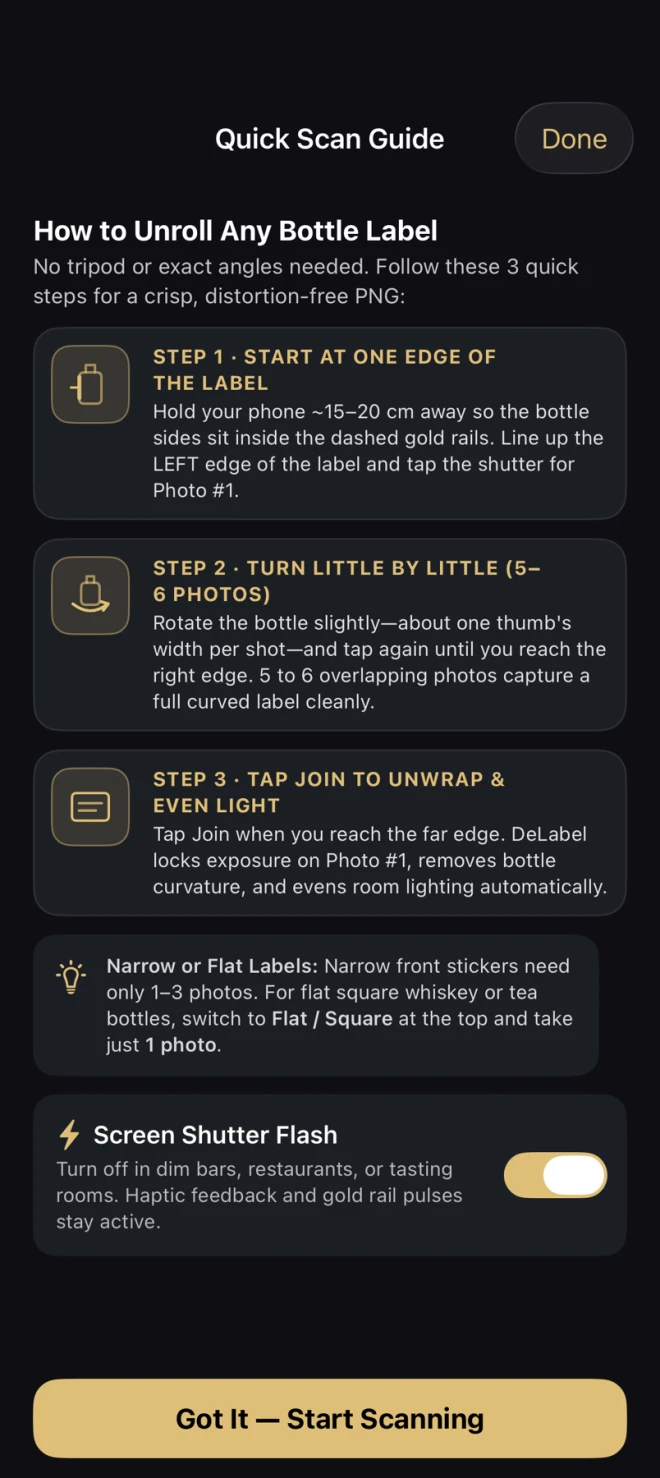
- Start at the left edgeHold your phone 15–20 cm away so the bottle's sides sit inside the gold guide rails, then take the first photo.
- Turn little by littleRotate the bottle about a thumb's width and tap again. Five or six overlapping photos cover a full label.
- Tap JoinDeLabel removes the curve, evens out the room lighting, and reads the label text to fill in the details.
Capture
A scanner that coaches you through it.
The first time you scan, a Quick Scan Guide shows the three steps. After that, a step strip and a six-segment progress bar keep track for you.
- Round, ribbed, tapered, or flat. Flat and square bottles need just one photo.
- Made for dim rooms. The rear flash stays off, and you can silence the screen flash in bars and restaurants.
- Bring your own photos. Import pictures you already took from your photo library.
- Hands-free sweep. Auto-shutter fires when the bottle has turned and your hand is steady. Pro
Finish
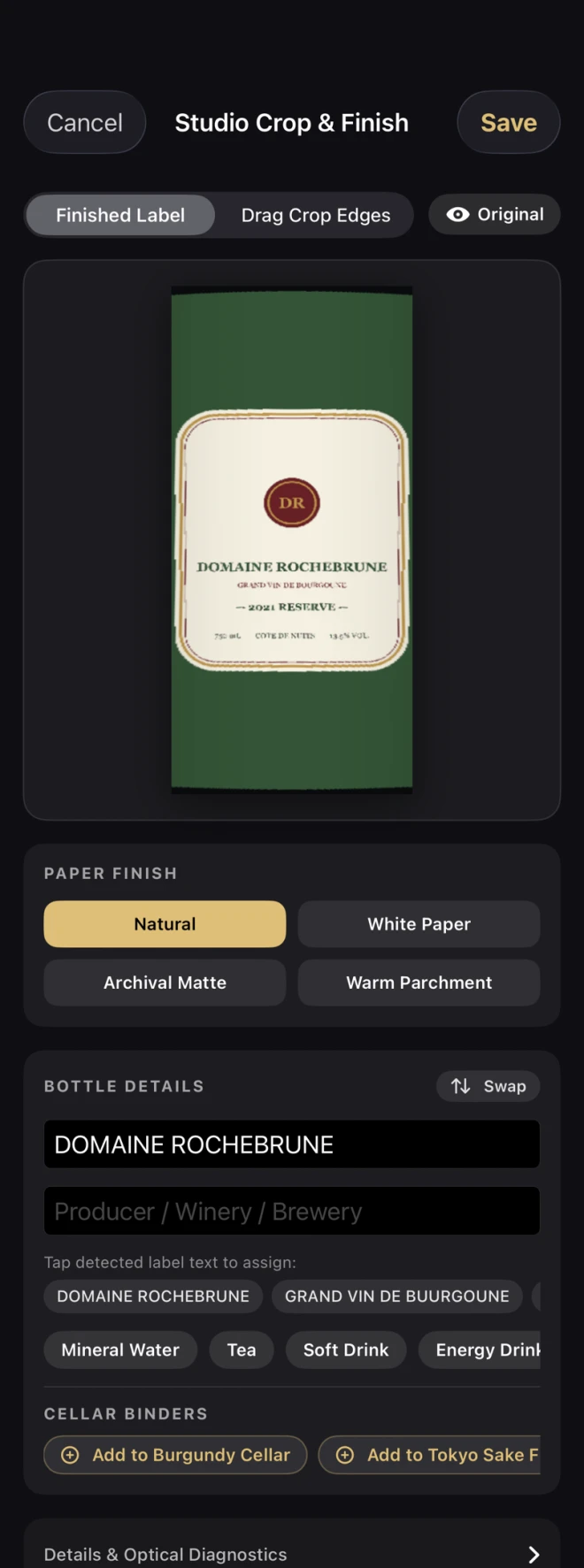
Trim it, pick a paper finish, and save.
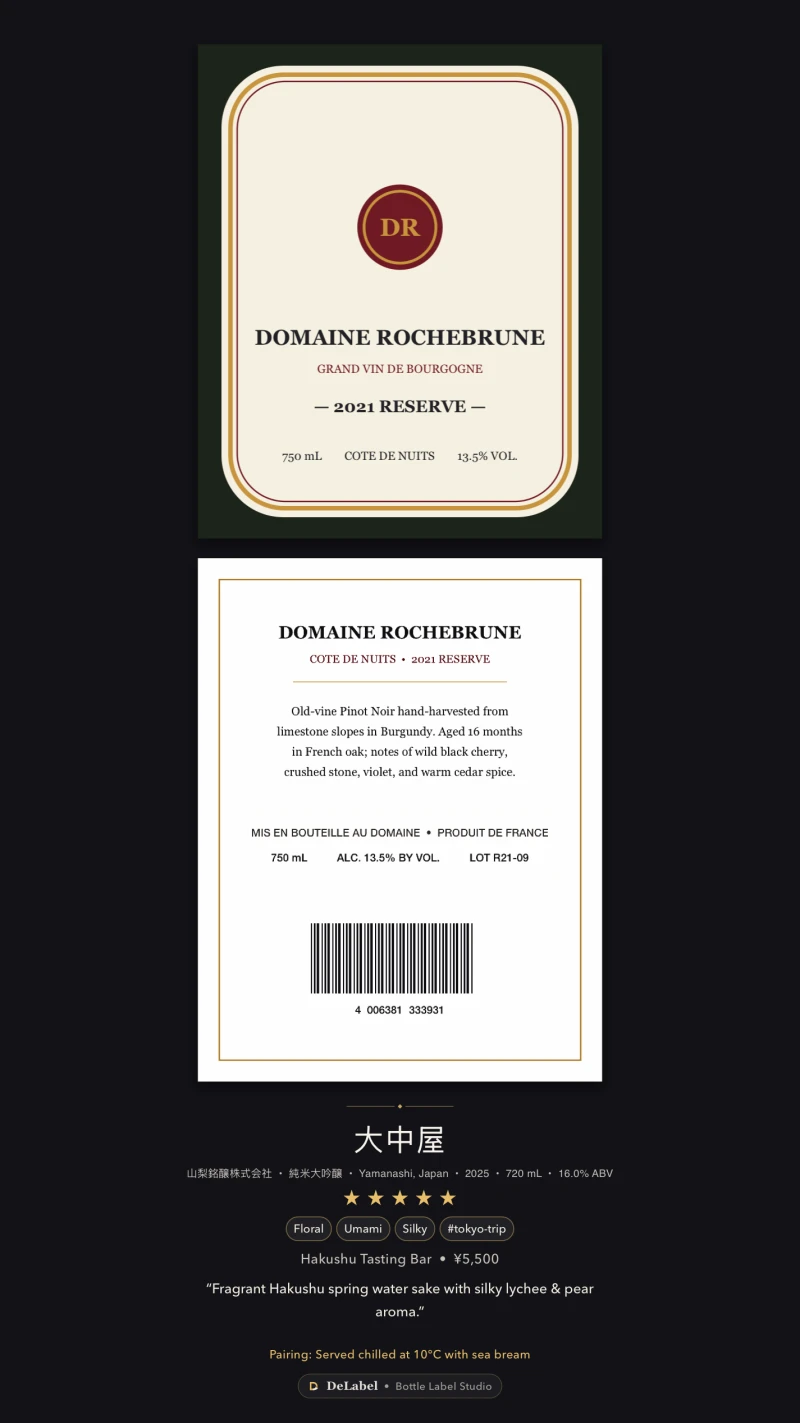
Drag the crop edges until the label sits square. Title, producer, volume, origin, and barcode are filled in from the printed text, in English and Japanese.
- Natural keeps faithful camera color, including dark stock and gold foil.
- White Paper, Archival Matte, and Warm Parchment clean up gray paper and harsh glare. Pro
- Front, back, and neck labels are kept together on one bottle, each with its own finish.
Collect
A private library for every bottle you want to remember.
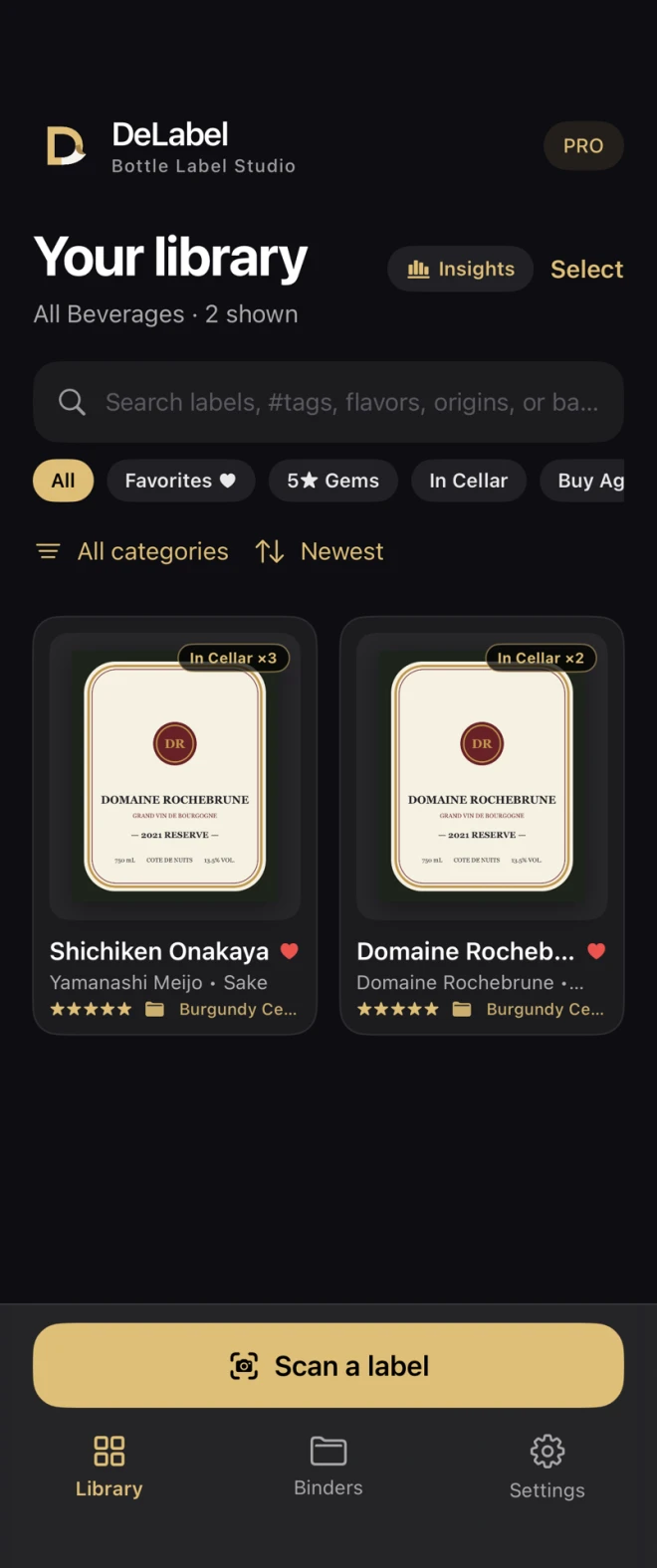
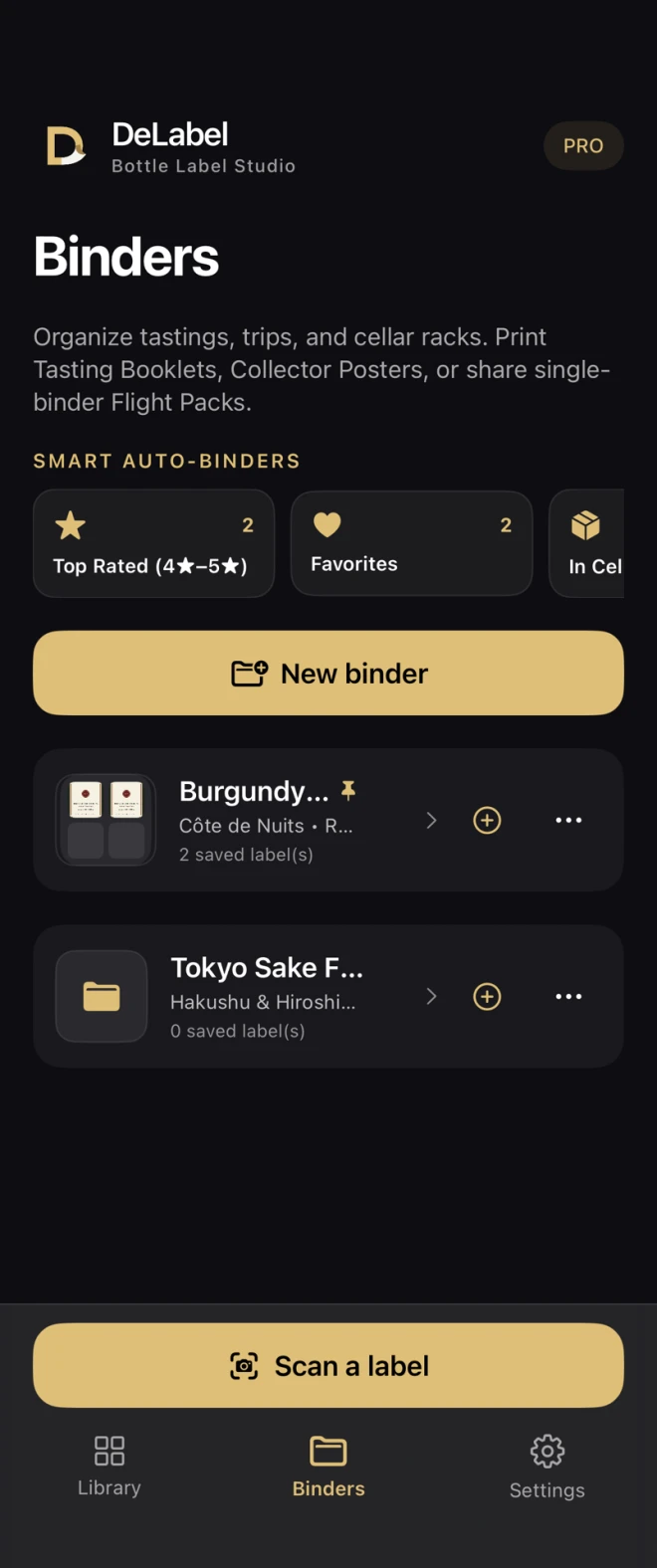
Rate it, favorite it, write a tasting note, and file it in a binder. Search finds any word printed on any label you have saved.
- Binders for tastings, trips, and cellar racks.
- Collection Focus tailors the app to all beverages, non-alcoholic only, or wine and spirits.
- Stock, storage location, price, and flavor tags for a real cellar record. Pro
Share and print
Make something worth showing.
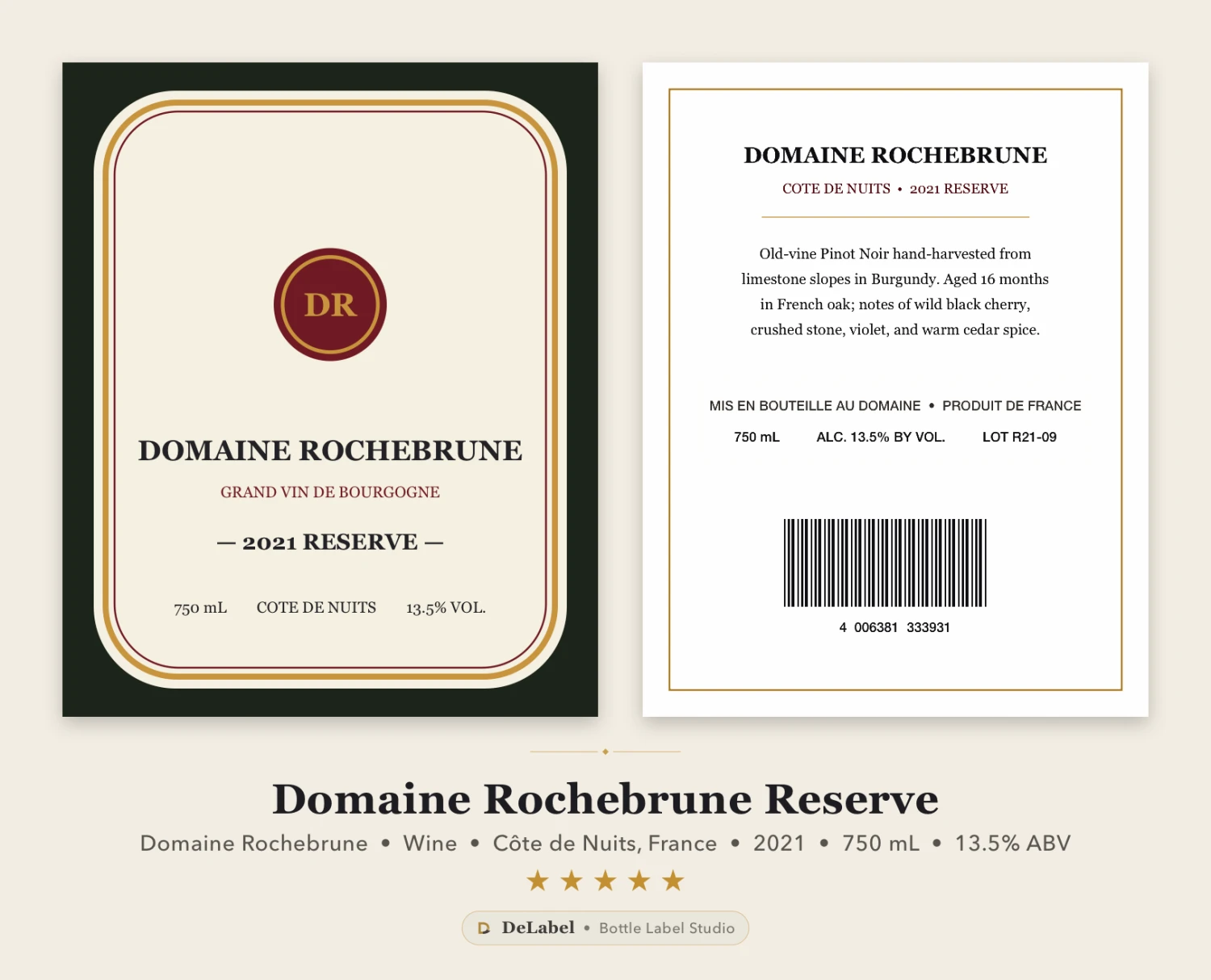
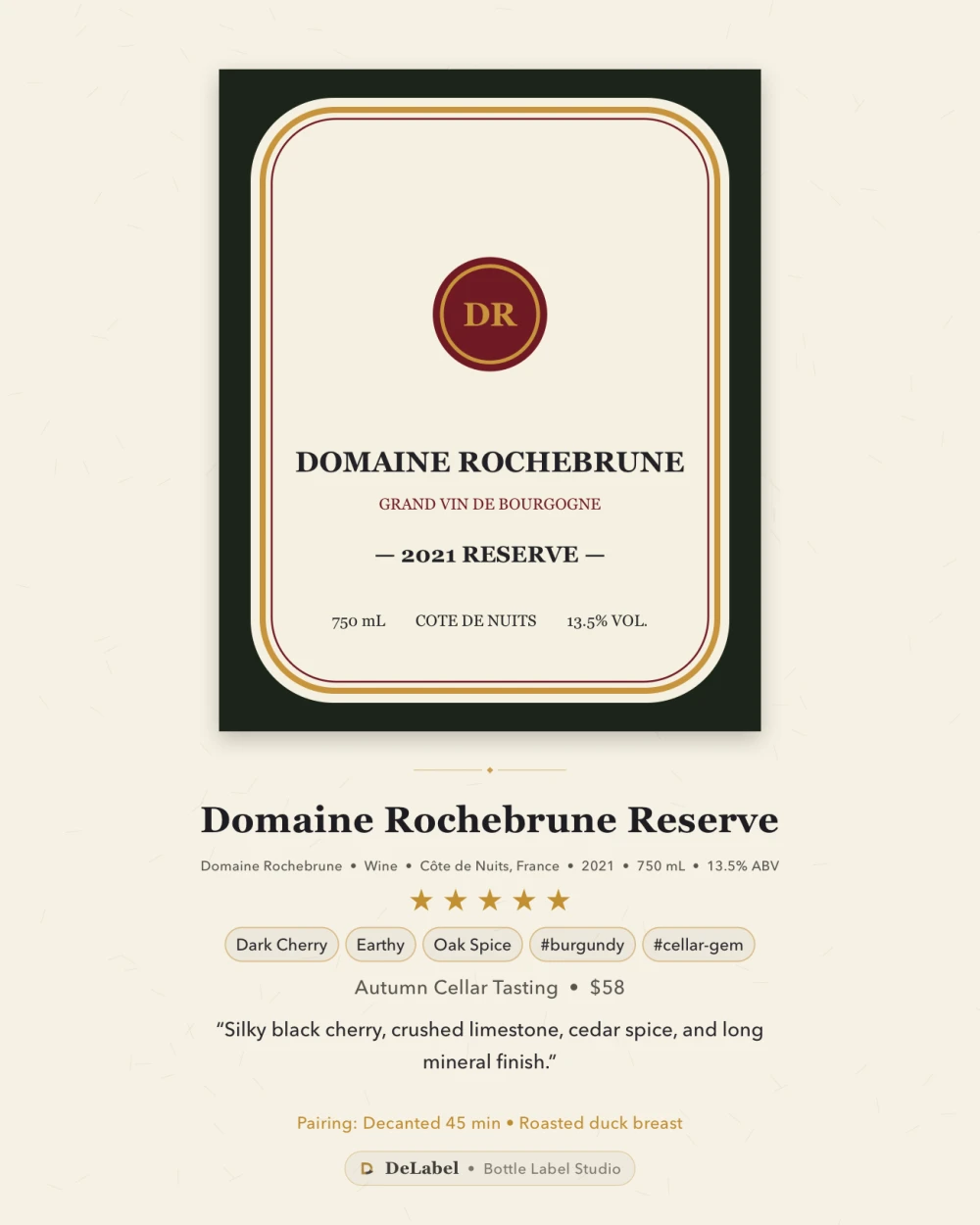
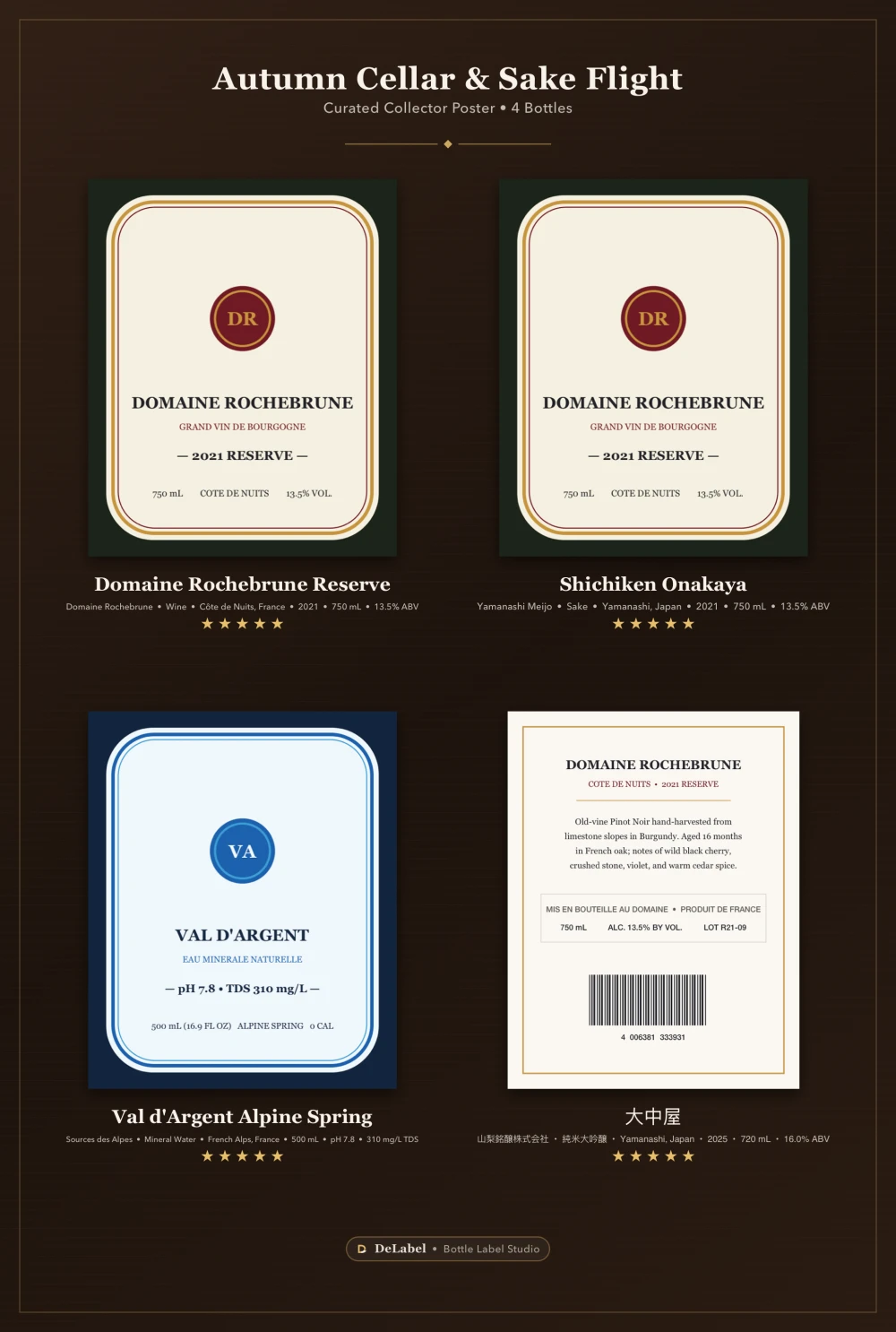
Turn any bottle into a review card for a post or a story, a printable tasting sheet, or a poster of a whole flight.
Everything else
Small details that add up.
- Reads the label for youTitle, producer, vintage, volume, alcohol content, and barcode come from the printed text. On sake labels it also picks out the brewery, grade, and rice polishing ratio.
- Only what is printedRegion and country are suggested only when the label states them. Nothing is guessed.
- True to the photoEvery pixel comes from your photographs. DeLabel never redraws artwork or invents lettering.
- Not just for wineMineral water, tea, and energy drinks get their own details, such as pH, minerals, caffeine, and calories.
- Search everythingLabel text, tags, origins, barcodes, storage locations, and pairing notes.
- Collection insightsRatings, categories, top producers, and origins at a glance. Pro
- Move phones without losing anythingExport your whole library as one
.delabelfile and import it on iPhone, Android, or HarmonyOS. Export and import are free.
Private by design
Your labels stay on your device.
DeLabel does its work on your phone. There is nothing to sign up for and nowhere for your photos to go.
- 0accounts to create
- 0DeLabel servers receiving your photos or notes
- 0ads or tracking in the app
- 100%of exports stripped of location, capture time, and device details
Free and Pro
Start free. Upgrade when your shelf outgrows it.
Free
Everything you need to try it properly.
- 10 saved labels and 3 binders
- Full scanning, joining, and label reading
- Title, producer, category, rating, and notes
- 1600 px images and a standard share card
- Manual export and import of your whole library
DeLabel Pro
Buy once, or subscribe.
- $24.99Lifetime, one time
- $9.99per year
- $1.99per month
- Unlimited labels and binders, plus smart binders and collection insights
- Stock and location, origin, price, tasting date, flavor tags, and pairings
- Full-resolution 600 DPI images and three more paper finishes
- Review cards, story and post sizes, tasting sheets, posters, and booklets
- Automatic backup to your own cloud folder
- Hands-free auto-shutter
Questions
Good to know.
Do I need an account?
No. DeLabel has no sign-up and no DeLabel server. Your labels, photos, and notes are saved on your device.
Which phones does it run on?
iPhone with iOS 26 or later, Android 10 or later, and HarmonyOS 7 phones. The apps are not in the stores yet.
Does it use AI to redraw the label?
No. The flat image is made only by reshaping your own photographs. DeLabel never generates artwork or lettering.
What kinds of bottles work?
Round, ribbed, and gently tapered bottles and cans, plus flat and square bottles. See bottle shapes in the guide.
Can I print labels to stick on other bottles?
No. DeLabel is for personal cataloging, tasting notes, and sharing reviews. It does not make cut-out stickers or print-to-size replacement labels.
What happens to my library if I change phones?
Export it as a single .delabel file and import it on the new phone. This is free and works between iPhone, Android, and HarmonyOS.
Coming soon
Keep the label. Leave the bottle.
DeLabel is on its way to the App Store, Google Play, and AppGallery.
- Coming soon to theApp Store
- Coming soon toGoogle Play
- Coming soon toAppGallery